Building Your Own AI Rig
It looks simple from the outside — a server, a few GPUs, some open-source models. But production AI infrastructure for legal and healthcare workloads is a different discipline entirely.
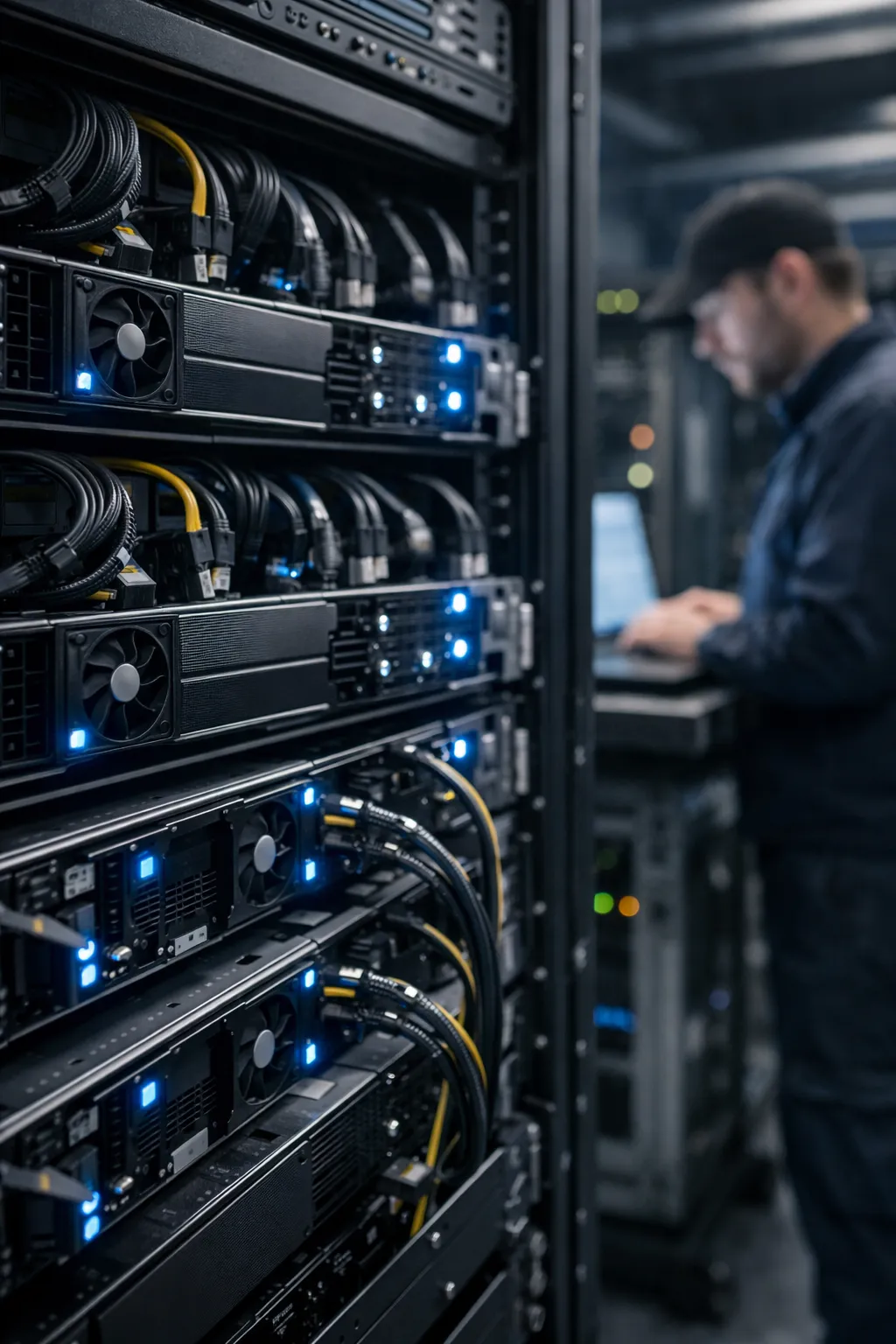
The DIY Temptation
It looks simple from the outside. A server, a few GPUs, some open-source models from Hugging Face — and you have your own private AI. No data leaving the building. No vendor lock-in. Total control.
The temptation is understandable. GPU prices have come down. Open-weight models have become genuinely capable. YouTube is full of tutorials showing a 7B model running on a gaming PC. The distance between “someone ran this at home” and “this is production-grade infrastructure for sensitive legal work” is invisible until you close it — usually by encountering every failure mode in sequence.
This article is about that distance.
What an AI Rig Actually Is
Before discussing hardware, it’s worth defining what we’re building. The term “AI rig” spans several distinct configurations:
Inference server: Dedicated hardware optimized for running one or more language models in response to queries. This is the most common deployment for document intelligence workloads — the system receives requests, runs the model, returns responses. Latency and throughput are the primary performance dimensions.
Training or fine-tuning node: Hardware capable of updating model weights. Training is computationally far more intensive than inference, requires different memory access patterns, and is rarely appropriate for in-house legal or healthcare deployments. Most organizations using on-premises AI should be running inference only.
Edge deployment: Constrained hardware running smaller quantized models for specific tasks — document classification, entity extraction, form processing. Different optimization targets than a full inference server.
For legal and healthcare workloads, we are almost always talking about inference servers — systems that run pre-trained models against document queries. That constraint still leaves significant complexity.
GPU vs. CPU Inference
Modern language models are matrix multiplication machines. They were designed around GPU hardware and perform best when their computations can be parallelized across thousands of GPU cores.
CPU inference is possible with quantized models (llama.cpp being the canonical example), but it is slower by an order of magnitude for models above a few billion parameters. For interactive use — a lawyer querying a document, expecting a response in seconds — CPU inference is inadequate for anything beyond small models (7B parameters and below, and only with 4-bit quantization).
For any production workload involving models at or above 13B parameters, dedicated GPU hardware is not optional.
Hardware Layer: More Than Just GPUs
The GPU is the most visible component but not the only one that matters.
GPU Selection: VRAM Is the Binding Constraint
When selecting a GPU for inference, VRAM (video memory) is more important than compute throughput. The entire model must fit in VRAM during inference; if it doesn’t fit, the system either refuses to load the model or begins using system RAM as overflow — at which point inference speed collapses to levels that are unusable for production.
The relationship between model size and VRAM requirement depends on quantization, but as a rough guide for 16-bit (FP16/BF16) inference:
| Model Size | Minimum VRAM | Recommended VRAM |
|---|---|---|
| 7B | 14 GB | 16 GB |
| 13B | 26 GB | 32 GB |
| 34B | 68 GB | 80 GB |
| 70B | 140 GB | 2× 80 GB |
Quantization (reducing weights from 16-bit to 8-bit or 4-bit) reduces VRAM requirements significantly — a 7B model in 4-bit quantization can run in under 5 GB. But quantization introduces accuracy trade-offs that matter for legal reasoning tasks, where precision in language interpretation is the point.
Consumer GPUs (RTX 3090, 4090) max out at 24 GB VRAM. Professional inference workloads at 34B+ parameters require data-center GPUs: NVIDIA A100 (40 GB or 80 GB), H100 (80 GB), or H200. The cost difference is substantial — data-center GPUs cost $10,000–$30,000+ per card.
Multi-GPU inference (using NVLink or PCIe to split a model across cards) is technically viable but introduces its own complexity: inter-GPU communication latency, driver configuration, framework support, and debugging challenges that multiply with each additional card.
CPU and System RAM: The Bandwidth Bottleneck
Even with a capable GPU, the CPU and system memory affect inference performance in ways that are not obvious.
During model loading, weights are transferred from storage to system RAM to GPU VRAM. Memory bandwidth — the speed at which data moves between components — is often the limiting factor for time-to-first-token latency. Server-grade CPUs with high-bandwidth RAM channels (DDR5 ECC) and fast PCIe 5.0 interconnects matter more than raw core count.
For systems running multiple concurrent users (a realistic scenario in a law firm), the CPU also handles request scheduling, context management, and all non-GPU computation. Undersizing the CPU creates queuing delays that appear as unpredictable latency spikes under load.
Storage: NVMe for Model Loading
A 70B parameter model weighs roughly 140 GB in FP16. Loading it from a spinning disk takes minutes. From an NVMe SSD, loading takes 30–60 seconds. In a system that may need to swap models or restart after maintenance, this difference is operationally significant.
Enterprise NVMe drives (PCIe Gen 4 or Gen 5) are necessary for production deployments. Consumer NVMe drives have lower write endurance ratings and are not appropriate for systems running continuous I/O.
Power and Cooling: Where Enterprise Meets Electrical Engineering
A single NVIDIA H100 GPU has a thermal design power (TDP) of 700 watts. A two-GPU server can draw 2,000–3,000 watts under load. This is not a workstation; it is industrial equipment with industrial power requirements.
Production AI servers require:
- Dedicated 208V or 240V circuits: Standard office 120V outlets are inadequate
- UPS (Uninterruptible Power Supply): A sudden power cut during inference can corrupt in-flight state; a UPS provides clean shutdown time
- Proper rack cooling: Server-grade GPUs require airflow that rack-mount servers provide; tower configurations in a server closet are a fire risk
- PUE planning: Power Usage Effectiveness — the ratio of total facility power to IT equipment power — affects operating costs meaningfully at scale
Many organizations discover these requirements only after the hardware arrives. The electrical work alone can add weeks to a deployment timeline.
Networking: Enterprise Bandwidth for Multi-Node
Single-node deployments require standard 10GbE networking — adequate for most inference workloads.
Multi-node setups (where a model spans multiple servers) require 25GbE or faster between nodes, and for serious distributed inference, RDMA (Remote Direct Memory Access) networking — InfiniBand or RoCE — to minimize inter-node communication latency. This is specialized infrastructure that requires expertise to configure and maintain.
Software Stack: The Invisible Complexity
Hardware is the visible part of the iceberg. The software stack — and the expertise required to manage it — is what lies beneath.
OS Hardening Baseline
A production AI server is a high-value network endpoint. It holds sensitive documents, runs powerful compute infrastructure, and serves APIs to internal users. It requires the same hardening you would apply to any production server: minimal installed packages, disabled unnecessary services, firewall with explicit allowlists, automated patching for the OS and drivers, and a defined baseline configuration that can be audited.
Starting from a default Ubuntu server install and running model serving software on it is not a hardened baseline. The delta between a default install and a hardened baseline takes significant effort to close — and must be maintained continuously as packages update.
Driver Stack: The Compatibility Matrix Problem
NVIDIA GPU drivers, CUDA, cuDNN, PyTorch, and the inference framework you choose all have specific compatibility requirements. The matrix of supported combinations is not forgiving: a mismatch between CUDA version and driver version causes silent failures or crashes, not informative error messages.
When NVIDIA releases a new driver, it may break compatibility with the CUDA version your inference framework was compiled against. When you want to upgrade your inference framework, it may require a newer CUDA version that requires a newer driver. These cascading dependencies are manageable but require careful attention and a defined upgrade process.
In a production environment — where stability matters more than having the latest version — this means maintaining a tested, pinned software stack and treating any upgrade as a change management event with rollback capability.
Inference Frameworks: Not Interchangeable
The primary inference frameworks each make different trade-offs:
vLLM: High-throughput serving with PagedAttention, strong multi-user batching, best for production API-style deployments. Requires Python runtime, good CUDA support, more complex configuration.
llama.cpp: Runs on CPU and GPU, strong quantization support, lower latency for single requests, easier to get running. Less optimized for concurrent multi-user scenarios.
TensorRT-LLM: NVIDIA’s production inference library, highest throughput on NVIDIA hardware, but requires model compilation steps that add complexity and time to deployment and model updates.
Ollama: Developer-friendly wrapper around llama.cpp, excellent for testing, not designed for production multi-user deployments.
Choosing the wrong framework for your workload characteristics means either leaving performance on the table or running infrastructure that cannot handle realistic concurrency. The right choice depends on model size, expected concurrent users, latency requirements, and hardware configuration — all of which require analysis specific to your deployment.
Monitoring and Observability
A production inference server needs monitoring: GPU utilization, GPU memory usage (VRAM), inference throughput (requests per second, tokens per second), queue depth, and latency percentiles (p50, p95, p99).
Without monitoring, you will not know when the system is approaching capacity, when a driver update caused a regression, or when a specific query pattern is causing VRAM fragmentation. You will find out when users report that the system is slow or unresponsive.
Setting up meaningful monitoring requires integrating GPU telemetry (DCGM or nvidia-smi), application metrics from the inference framework, and infrastructure metrics into a coherent dashboard with alerting.
The Hidden Failure Points
Beyond the baseline complexity, production AI infrastructure has specific failure modes that are not obvious until you encounter them:
Thermal throttling under sustained load: GPUs are designed to reduce clock speed when they overheat. In a system without adequate cooling, a GPU that performs excellently under brief tests will throttle under sustained multi-hour workloads, cutting throughput. This shows up as gradual performance degradation that is difficult to diagnose without temperature monitoring.
VRAM fragmentation with concurrent sessions: When multiple users run concurrent queries, the inference framework allocates and frees VRAM blocks. Over time, especially with variable-length inputs, VRAM can become fragmented — there is sufficient total free VRAM, but not in a contiguous block large enough to serve a new request. The result is requests failing or hanging at seemingly random times under load.
Driver and library version conflicts: Described above, but worth emphasizing: these are the most common cause of mysterious inference failures in systems that “worked yesterday.” Unplanned driver updates (from automated OS patching) are a particularly common trigger.
Component failure and unplanned downtime: Data-center GPUs have Mean Time Between Failures (MTBF) measured in years, but in a production system, even a 1-in-1000 chance per year is non-trivial. When a GPU fails, what is the recovery process? Is there a spare? Are model weights backed up? How long does it take to restore service? These questions need answers before the failure, not after.
Security surface created by inference APIs: Any API endpoint serving inference requests is an attack surface. Without proper authentication, authorization, and rate limiting, a local inference API can be queried by any system on the same network — potentially exposing confidential document content.
What Takes Years to Learn
Some of the most consequential decisions in AI infrastructure are not documented in any getting-started guide:
Optimal batching strategies: Inference frameworks can process multiple requests simultaneously (batching), trading individual request latency for overall throughput. The optimal batch size depends on model, hardware, request patterns, and latency requirements. Setting this incorrectly either wastes GPU capacity or makes the system feel slow for interactive use.
Quantization trade-offs: Quantization reduces model size and speeds up inference at the cost of some accuracy. But the accuracy impact is not uniform — it varies by task type, and for legal document analysis, the specific trade-offs matter. Reducing a model from FP16 to 4-bit GGUF can cause it to misread specific clause types, introduce subtle errors in entity extraction, or lose nuance in legal language interpretation. Evaluating these trade-offs for your specific workload requires domain expertise.
Model version management: Open-weight model versions proliferate rapidly. A model that performs well today may be superseded by a new version with different characteristics. Managing this in a production environment — testing new versions, running A/B comparisons, rolling out updates without disrupting users, and rolling back if the update causes regressions — requires a disciplined process.
Disaster recovery for model weights: Model weight files are large (14–140 GB per model), immutable, and critical. They require backup strategies that account for their size: standard backup software is often not well-suited for multi-GB blobs. Recovery from backup needs to be tested; a backup you have never restored from is a backup you do not have.
When DIY Makes Sense — and When It Doesn’t
| Factor | DIY | Managed On-Premises |
|---|---|---|
| Time to production | Weeks to months | Days to weeks |
| Upfront cost | Hardware cost only | Hardware + professional services |
| Ongoing maintenance | Internal team required | Covered by support agreement |
| Compliance posture | Manual configuration, your audit | Pre-validated, documented |
| Risk during integration | High | Low |
| Expertise required | Deep (hardware + software + ops) | Minimal |
DIY makes sense when you have dedicated infrastructure engineers with specific AI deployment experience, a compliance team that can build and audit the security baseline, time to invest in getting it right, and appetite for ongoing maintenance. That profile describes a small number of large technology organizations.
For law firms and healthcare organizations — where the core competency is legal or clinical work, not infrastructure engineering — the risk and time cost of DIY typically outweighs the savings.
The Tacitus Approach
The Tacitus Supply Drop protocol is designed specifically to eliminate the integration risk that makes DIY AI infrastructure expensive.
Pre-validated hardware configurations are tested against the software stack before delivery. Driver versions, CUDA, inference framework, and application software are tested together as a unit — not assembled on-site for the first time. The security baseline is defined, documented, and applied before the system arrives. Monitoring is configured. Backup procedures are established.
The result is a system that is production-ready on day one, with a defined support path for the component failures and software updates that will inevitably occur. The expertise that took years to accumulate is embedded in the system design rather than left as an exercise for the installation team.
If you’re evaluating on-premises AI infrastructure and want to understand what a production-grade deployment looks like for your specific workload and compliance requirements, a technical briefing is a good place to start.
Request a briefing to discuss your infrastructure requirements with the Tacitus team.